Kite App Onboarding
Arjun Nair
2d
0/1 questionnaires answered
Client says ₹1,20,000 is paid
INV-0012 · unlocks Kickoff · 3 hours ago
Wuilder is opinionated on purpose. Each feature exists to make your process feel inevitable to clients — and to make sure you get paid before the work moves forward.
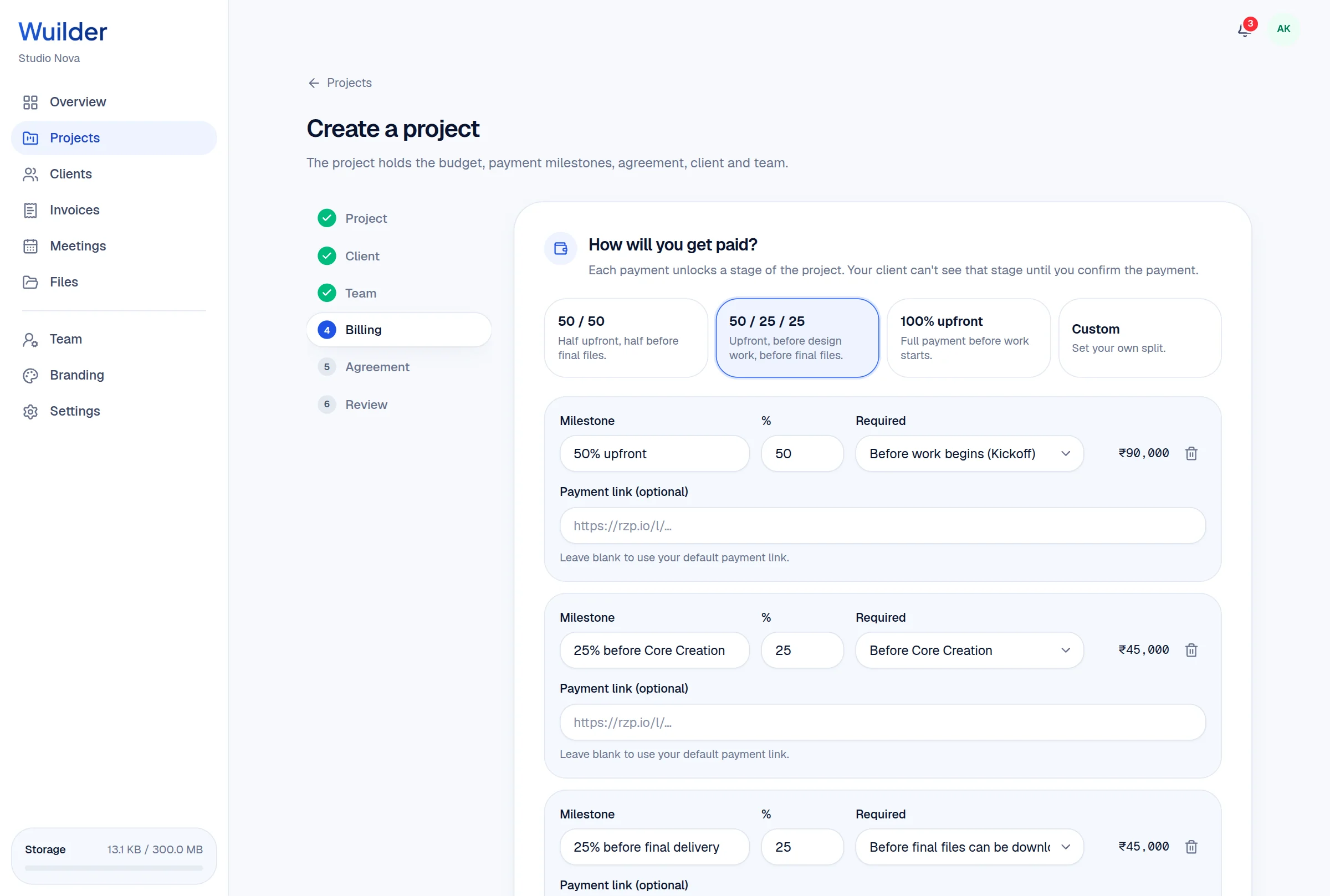
Create the project, draft the proposal and map a milestone invoice schedule — 100% upfront, 50/50, 25/50/25 or fully custom.
Milestone presets
100% upfront, 50/50, 25/50/25 — or custom splits that must total 100%.
Contract parameters
Revision rounds, IP transfer, source files, kill fees and portfolio rights.
Draft until launch
Clients see nothing until you hit launch and the kickoff invoice goes out.
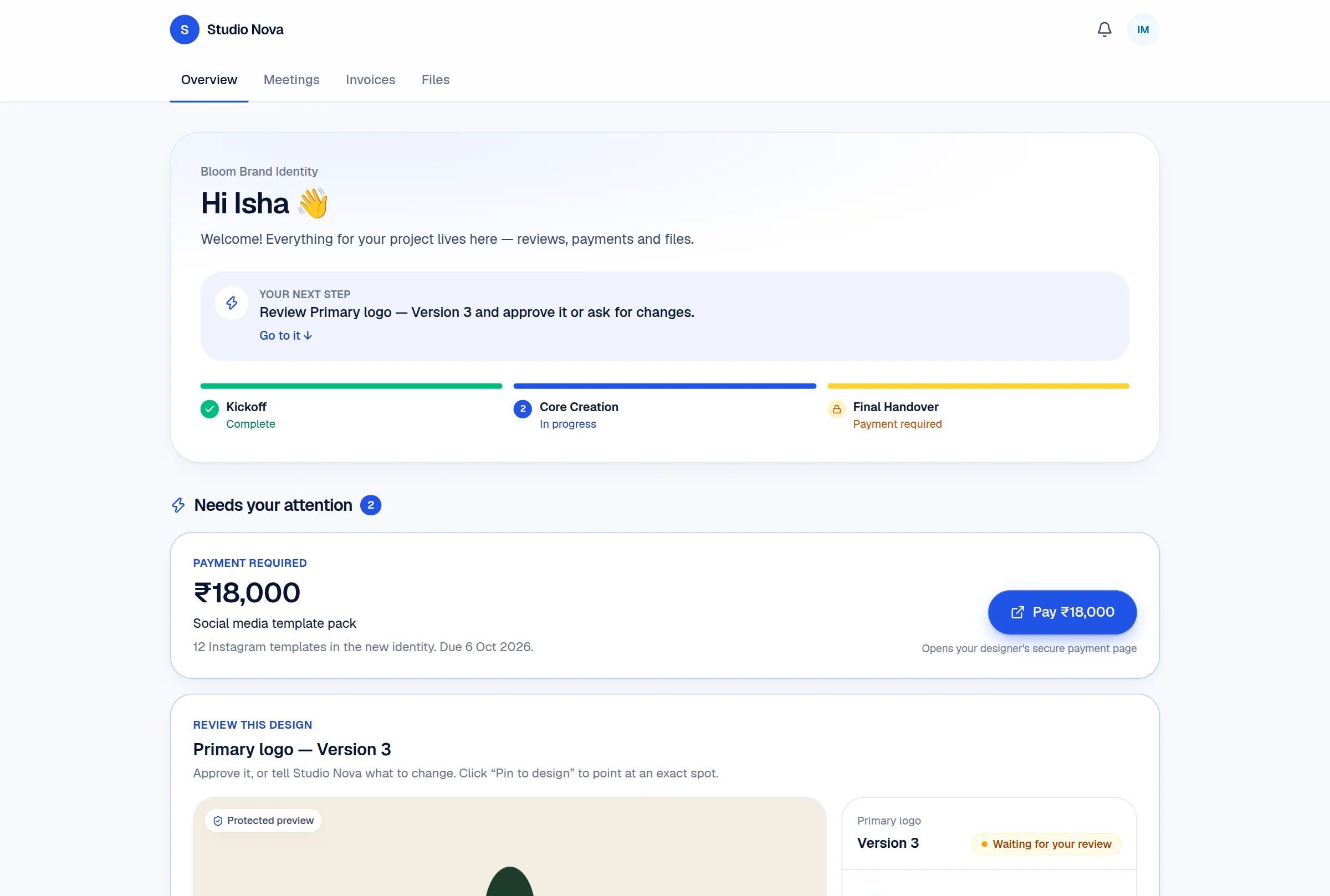
Your client gets a secure 24-hour token by email, lands in your branded portal and signs the agreement before anything else happens.
Passwordless access
A 24-hour secure token by email — clients are in with one click.
Agreement first
The portal opens on your agreement, so the terms are signed before the work starts.
Branded throughout
Your logo and colors on every screen your client ever sees.
Clients pay each milestone via your external payment link. You verify it in Wuilder, and the next phase opens — not a minute before.
Bring your own payments
Stripe, PayPal, Wise, bank transfer — Wuilder never touches the money.
One-click verification
Confirm the payment landed and the next phase unlocks instantly.
Visible locks
Clients see exactly which phase is waiting on which invoice.
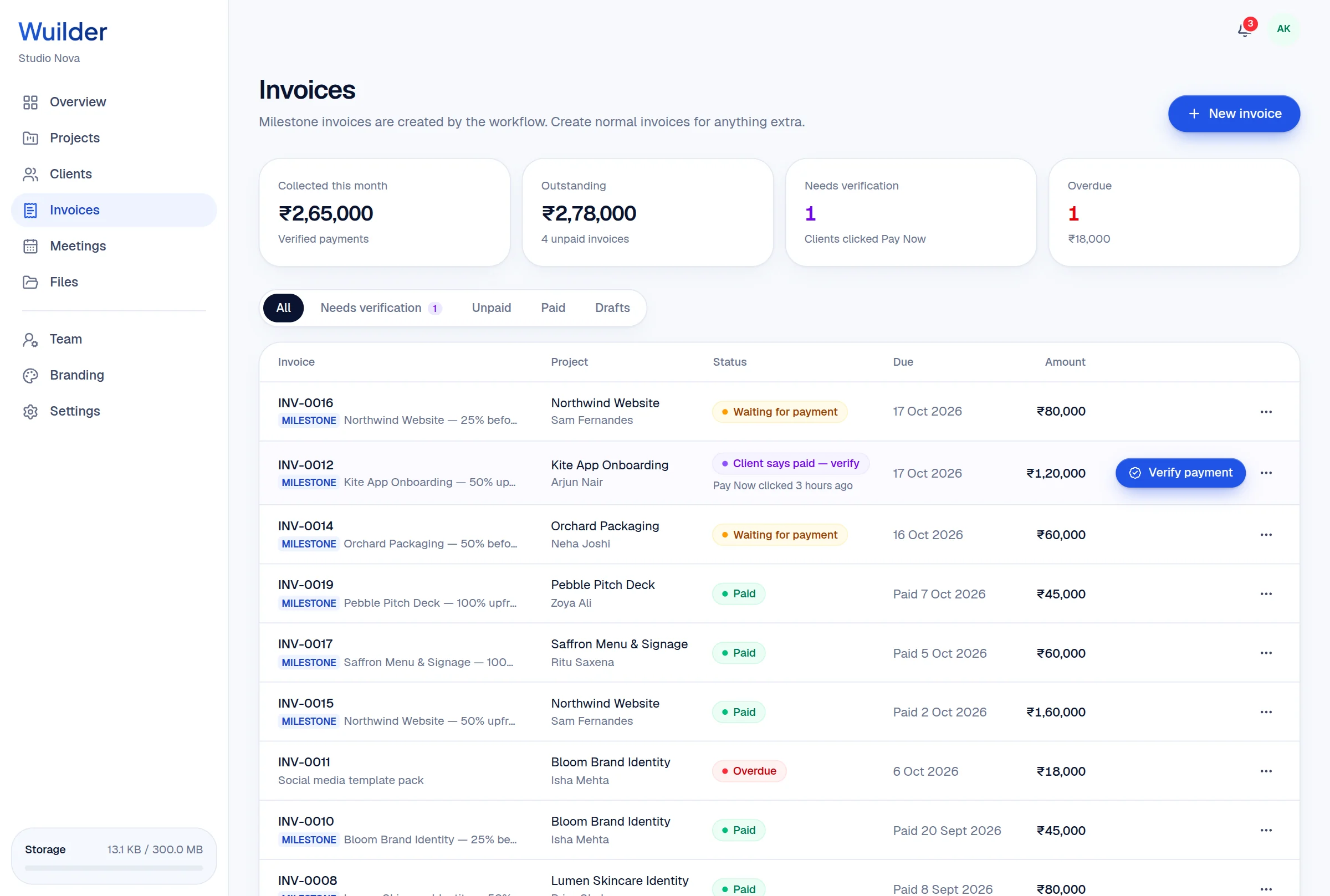
Clients complete in-dashboard questionnaires, then click “Approve Brief” — mechanically locking scope so creep has nowhere to start.
Questionnaire builder
Short answer, paragraph, choice, color palette, file, date and time fields.
Templates
Start from proven brand, web and packaging briefs — then make them yours.
Approve Brief
One click locks the answers into scope. Later changes become change requests.
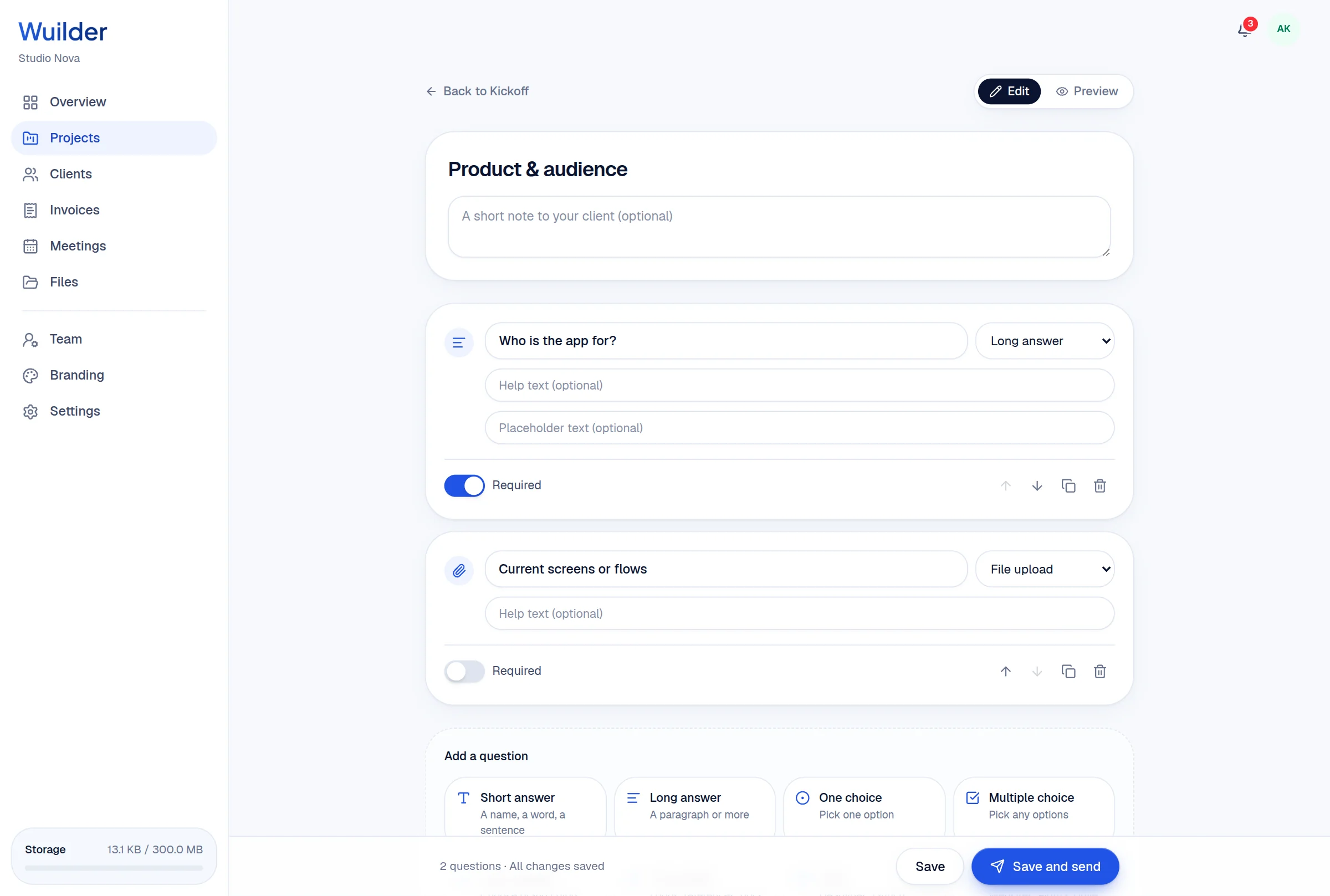
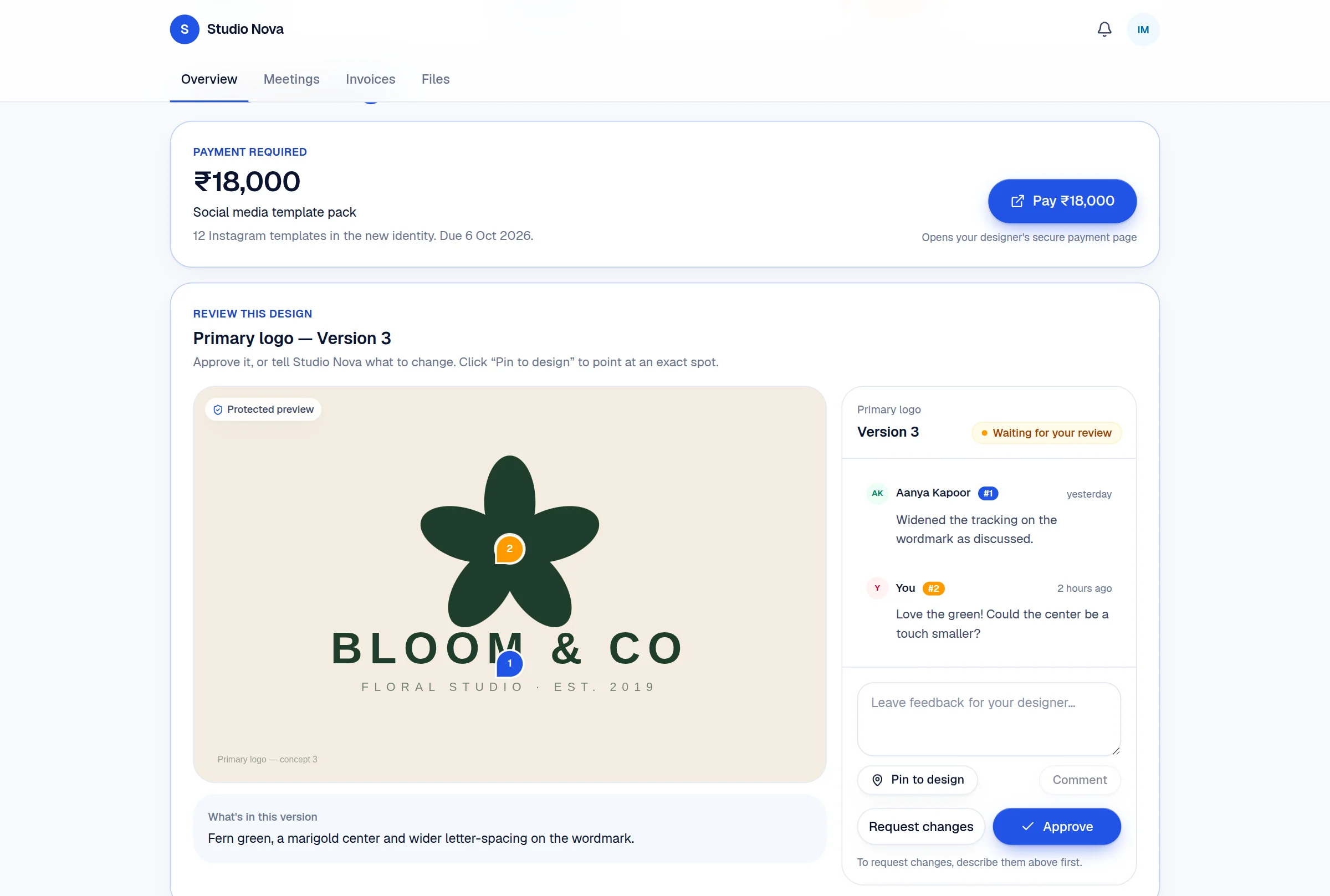
Concepts live in a secure, non-downloadable gallery with full version history — protected without slapping cheap watermarks on your best ideas.
Version history
Every iteration with release notes, so feedback always targets the right file.
Non-downloadable viewer
Downloads, right-click saves and drag-to-desktop are all disabled.
Inline approvals
Clients approve or request changes right where they review.
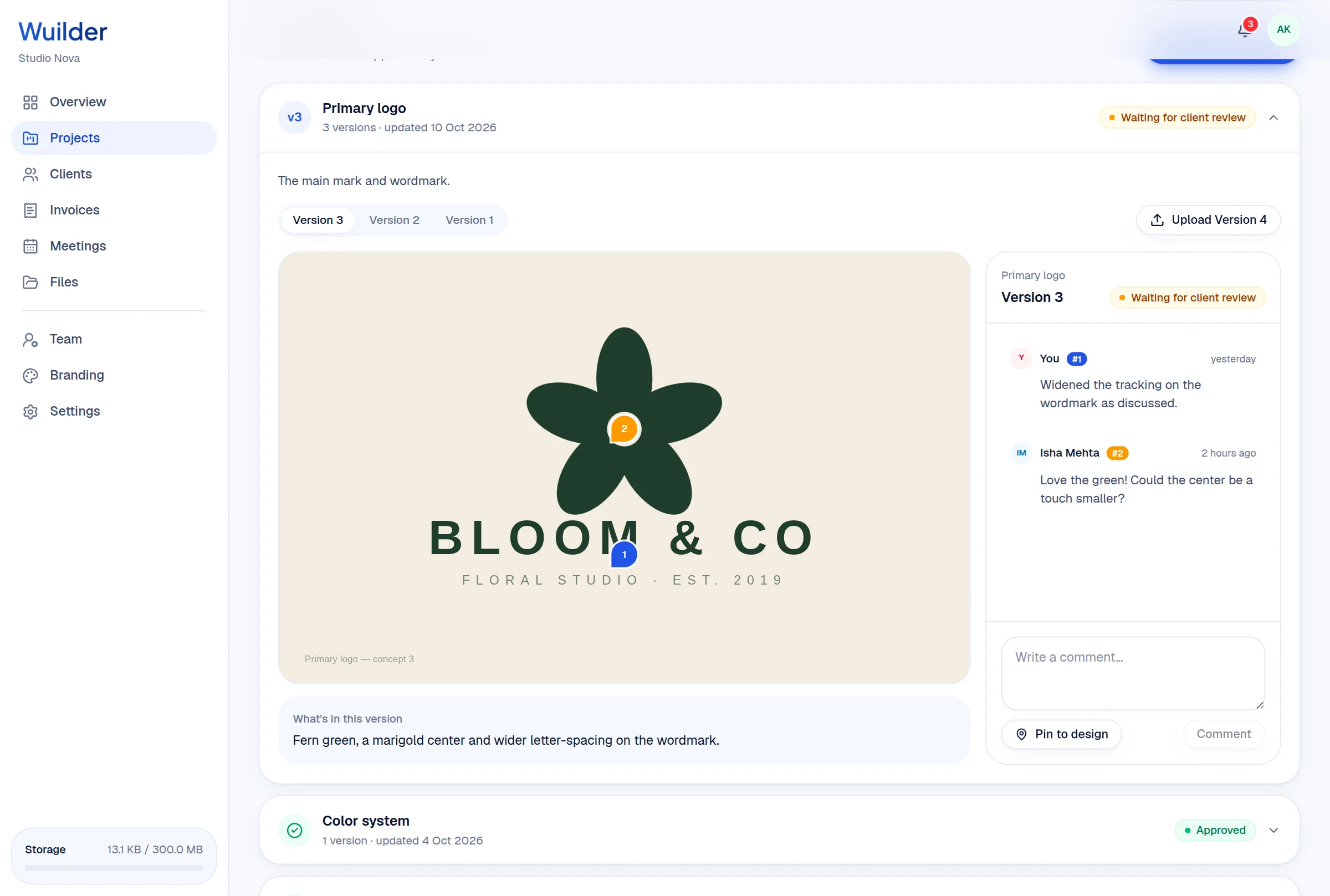
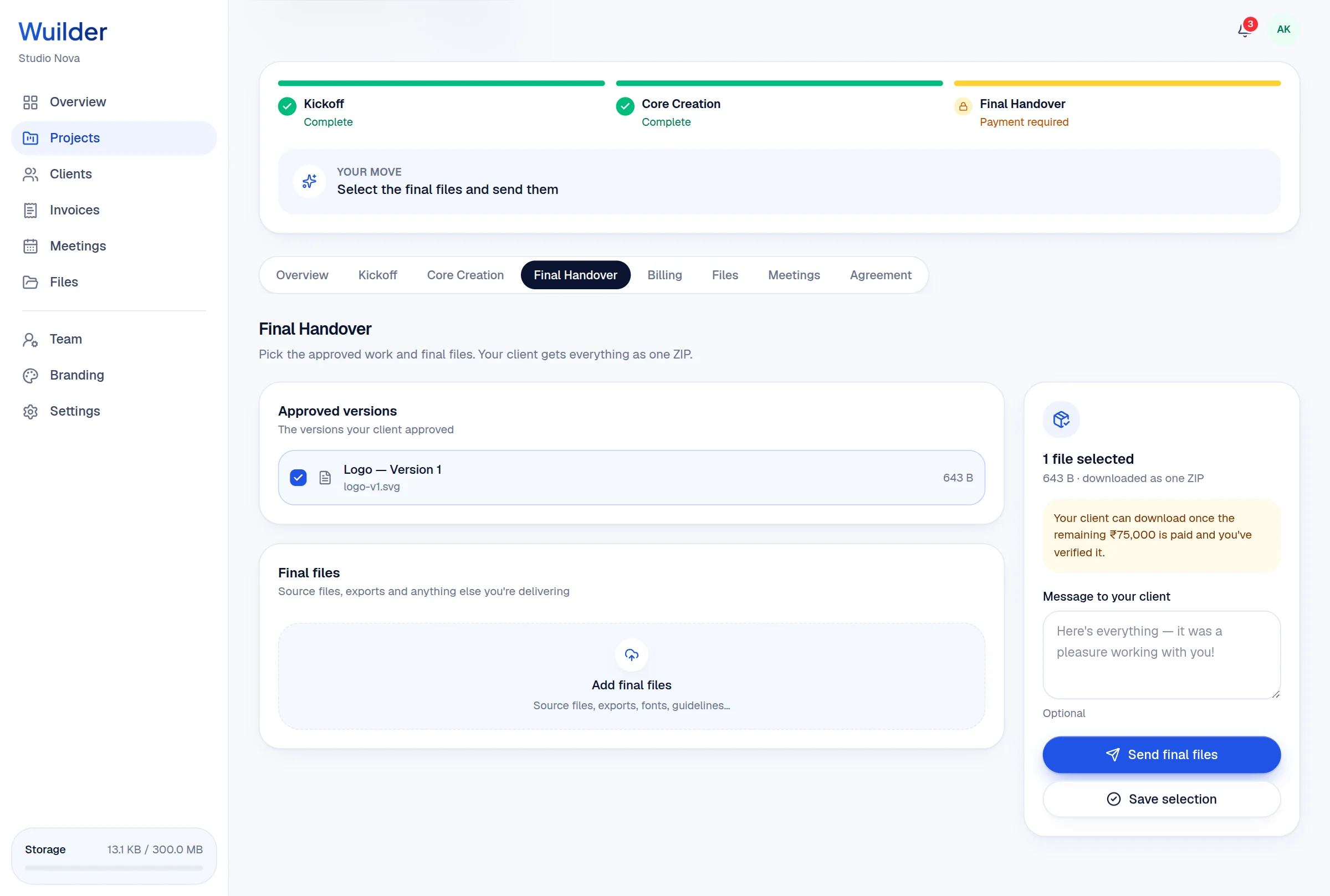
When the last payment is verified, your client unlocks an animated gallery of final files with 1-click batch ZIP downloads.
Curated final package
Tick exactly which files ship in the final delivery.
Animated reveal
Final files unlock in a gallery that makes the moment feel earned.
Batch ZIP
One click downloads everything, neatly packaged.
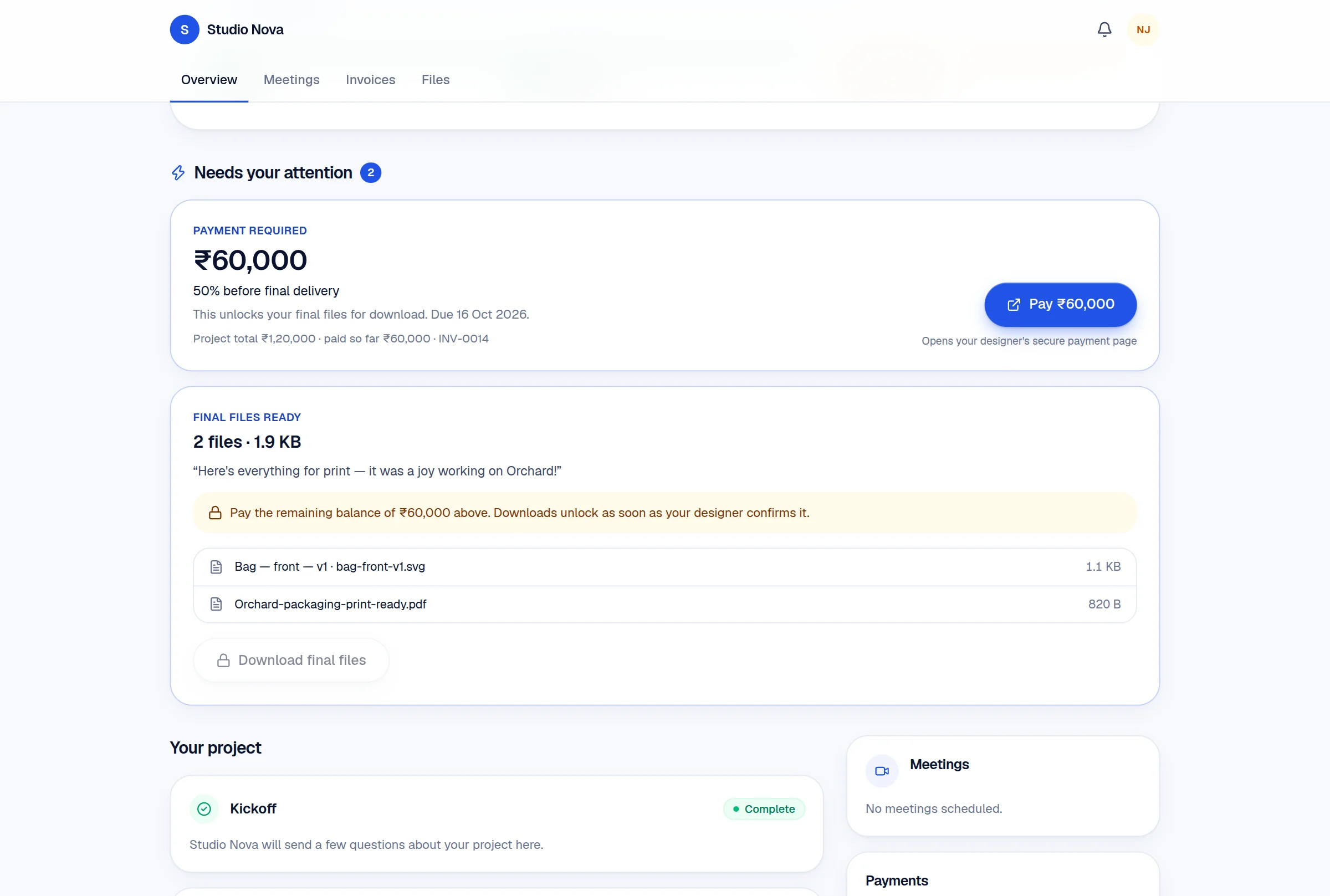
Verify a payment the way you would on Monday morning, then switch sides and approve a design or pay an invoice as your client.
Sunday 11 October
Welcome back, Aanya
Collected this month
₹2,65,000
+33% vs last month
Awaiting your verification
₹1,20,000
1 payment to check
Active projects
8
4 on you · 5 on clients
Kickoff 4
Kite App Onboarding
Arjun Nair
0/1 questionnaires answered
Client says ₹1,20,000 is paid
INV-0012 · unlocks Kickoff · 3 hours ago
Pebble Pitch Deck
Zoya Ali
1/1 questionnaires answered
You: Review the answers, then start Core Creation
Core Creation 2
Bloom Brand Identity
Isha Mehta
2/3 approved · 1 in review
Client: Reviewing Primary logo — Version 3
Northwind Website
Sam Fernandes
0/1 approved
Client: Waiting for ₹80,000
Final Handover 2
Orchard Packaging
Neha Joshi
Final files sent
Client: Waiting for ₹60,000
Atlas Brand Refresh
Vikram Shah
Preparing final files
You: Select the final files and send them
Alongside the phased workflow, every portal ships with the utilities clients reach for between milestones — no extra apps, no lost links.
A dedicated tab houses every supplementary asset — brand guidelines, fonts, references — so nothing ever dies in an email attachment again.
Google Meet built in. Clients launch or schedule syncs without leaving the portal.
Design review
Tue · 3:30 PM · 30 min
Pending, paid and upcoming milestone bills — visible to clients at any time.
Full-resolution concepts, zero downloads. Your work stays yours until it's paid for.
Logo and accent color on every client screen. Try a color →
The designer side of Wuilder keeps every client, project, invoice, meeting and file one click away.
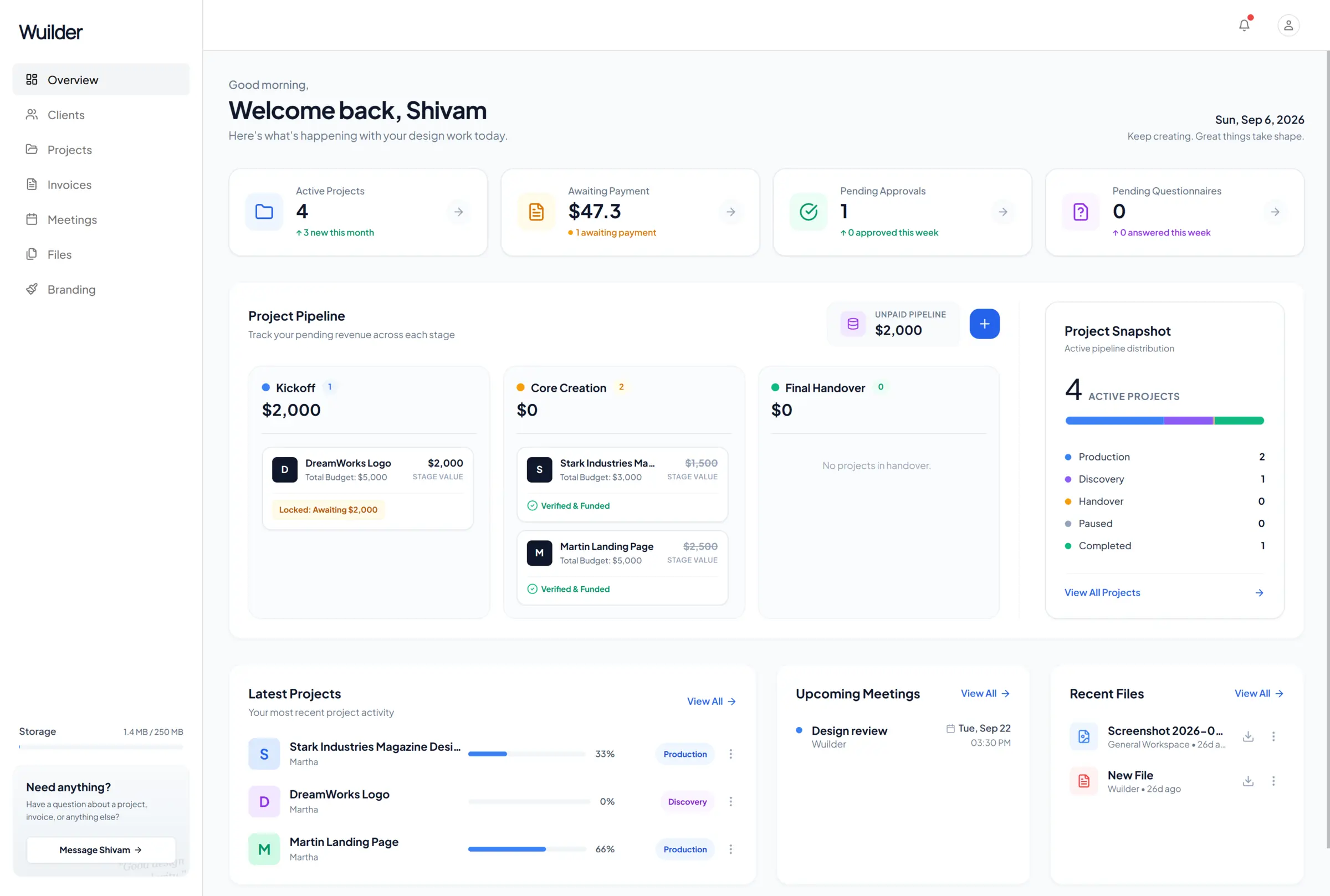
Revenue, payments to verify and a pipeline showing where every project is stuck.
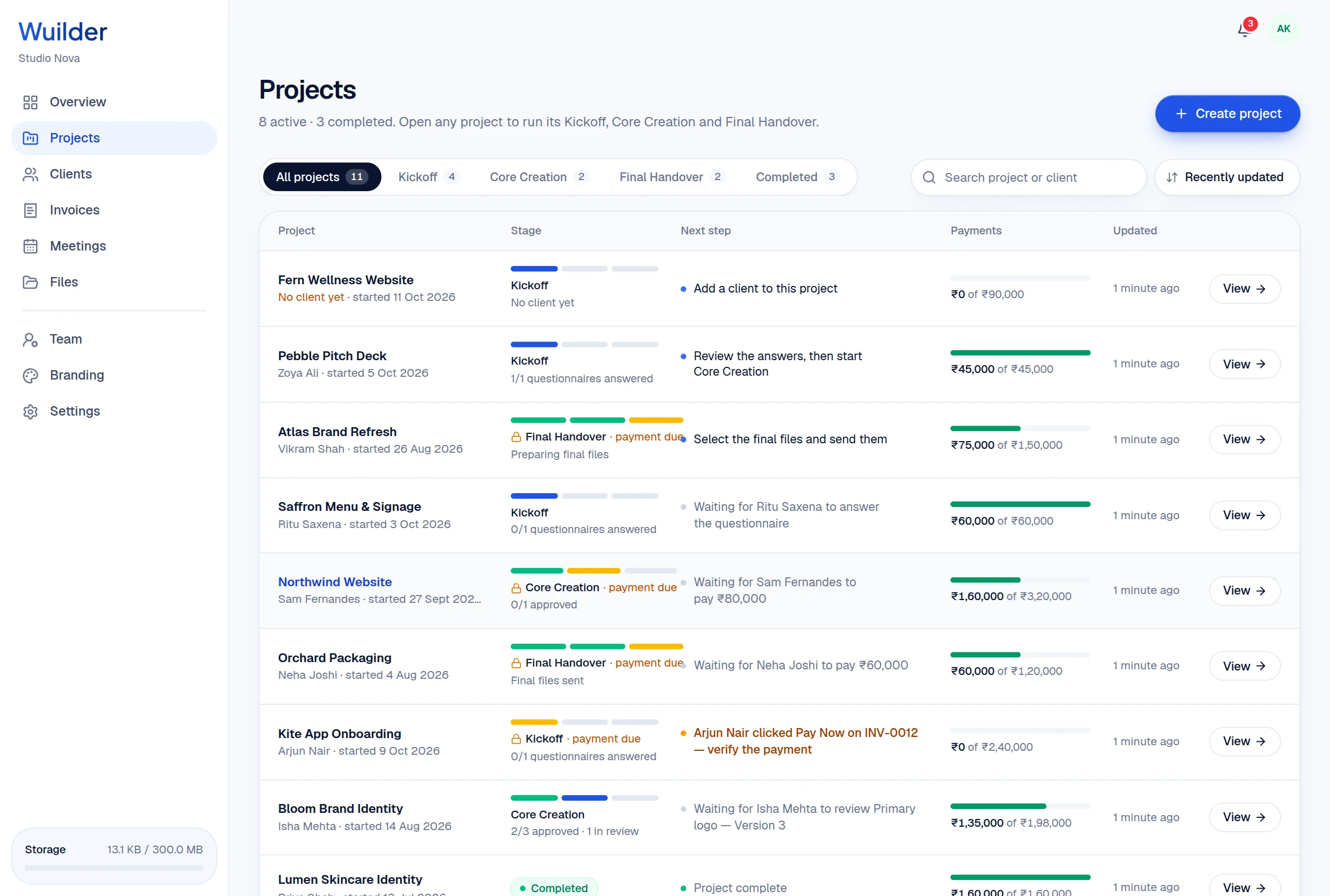
Every project with its stage, next step and how much is paid.
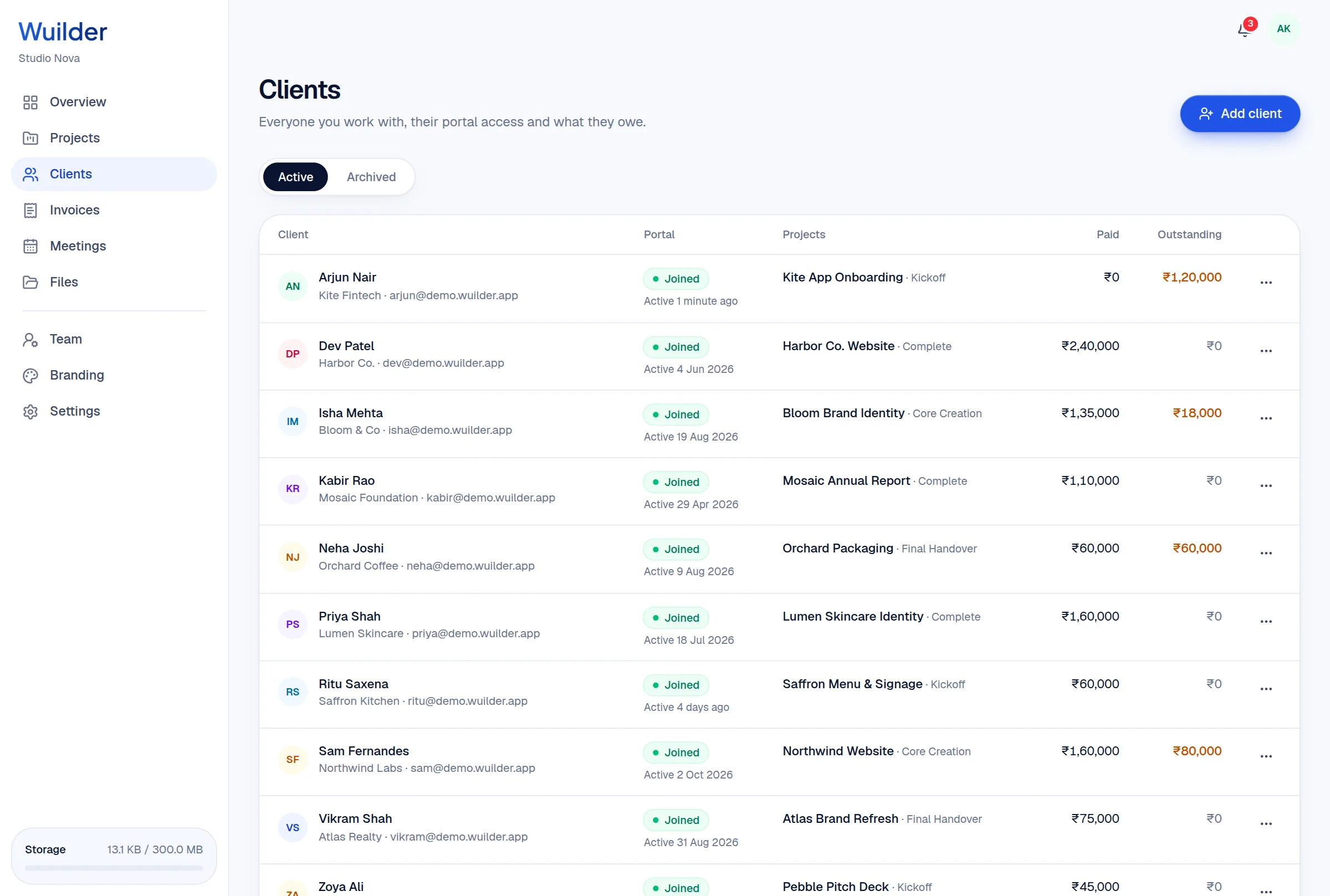
Who joined their portal, their projects and what they owe.
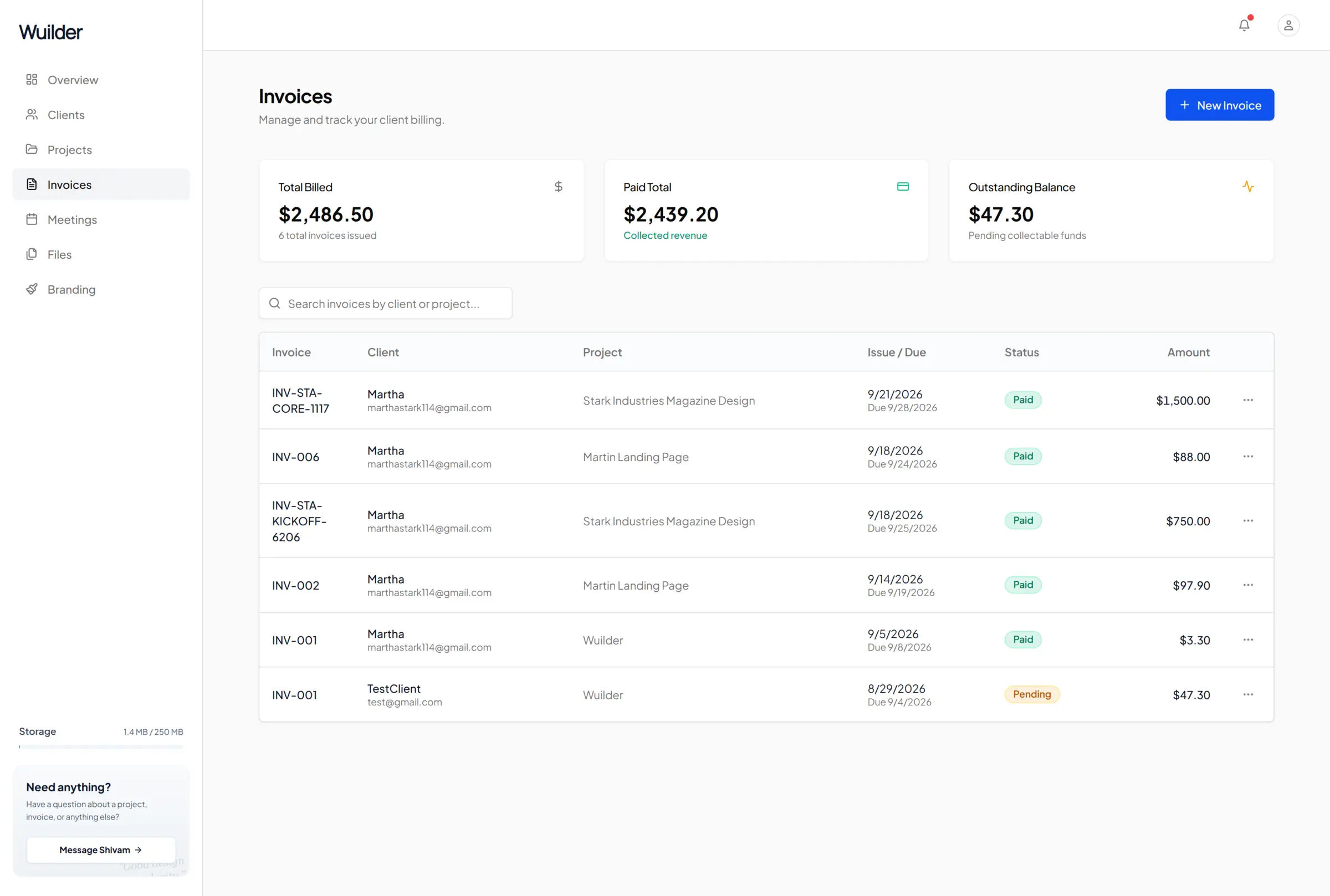
Billed, collected and outstanding — down to the cent.
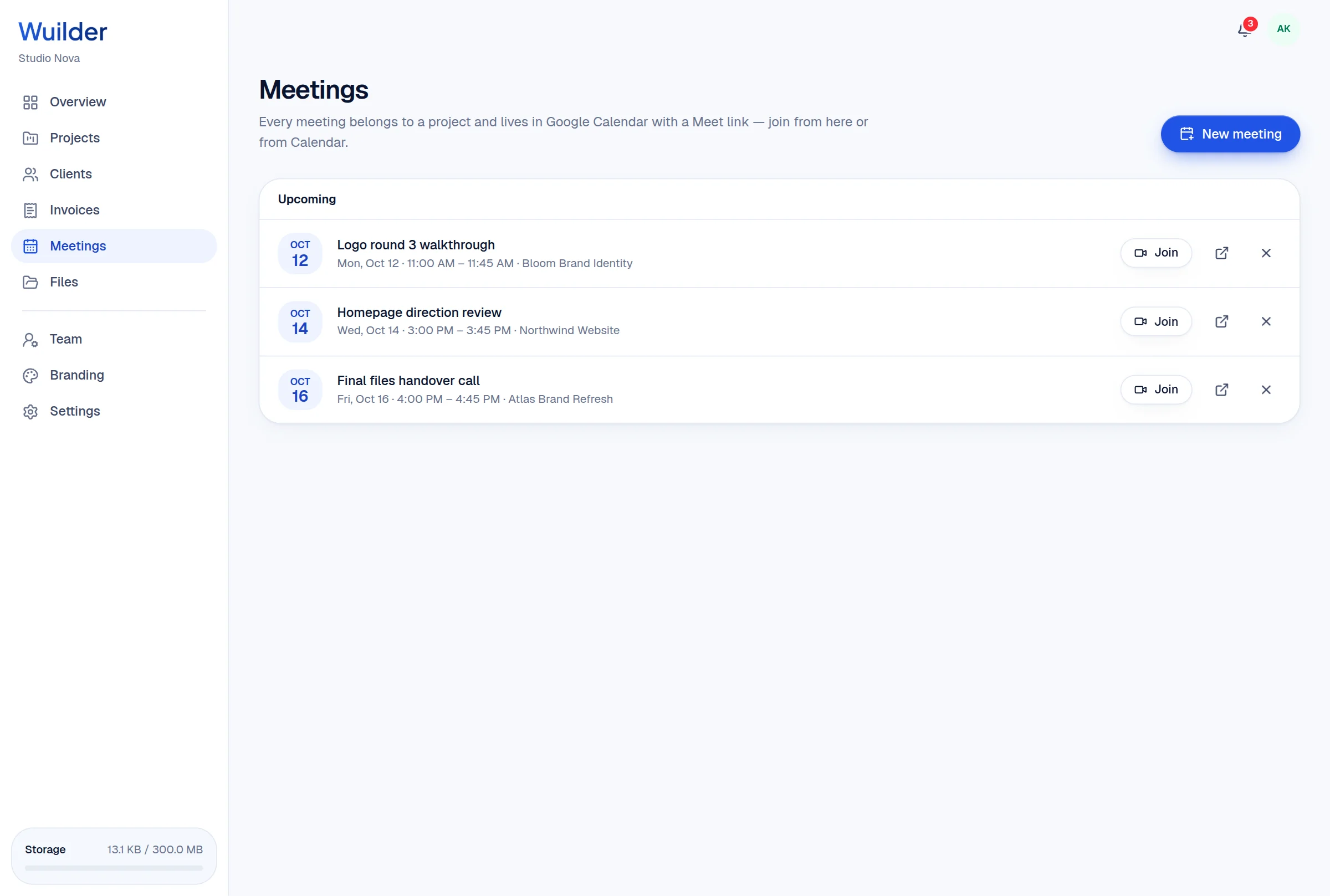
Google Calendar and Meet, with every meeting tied to a project.
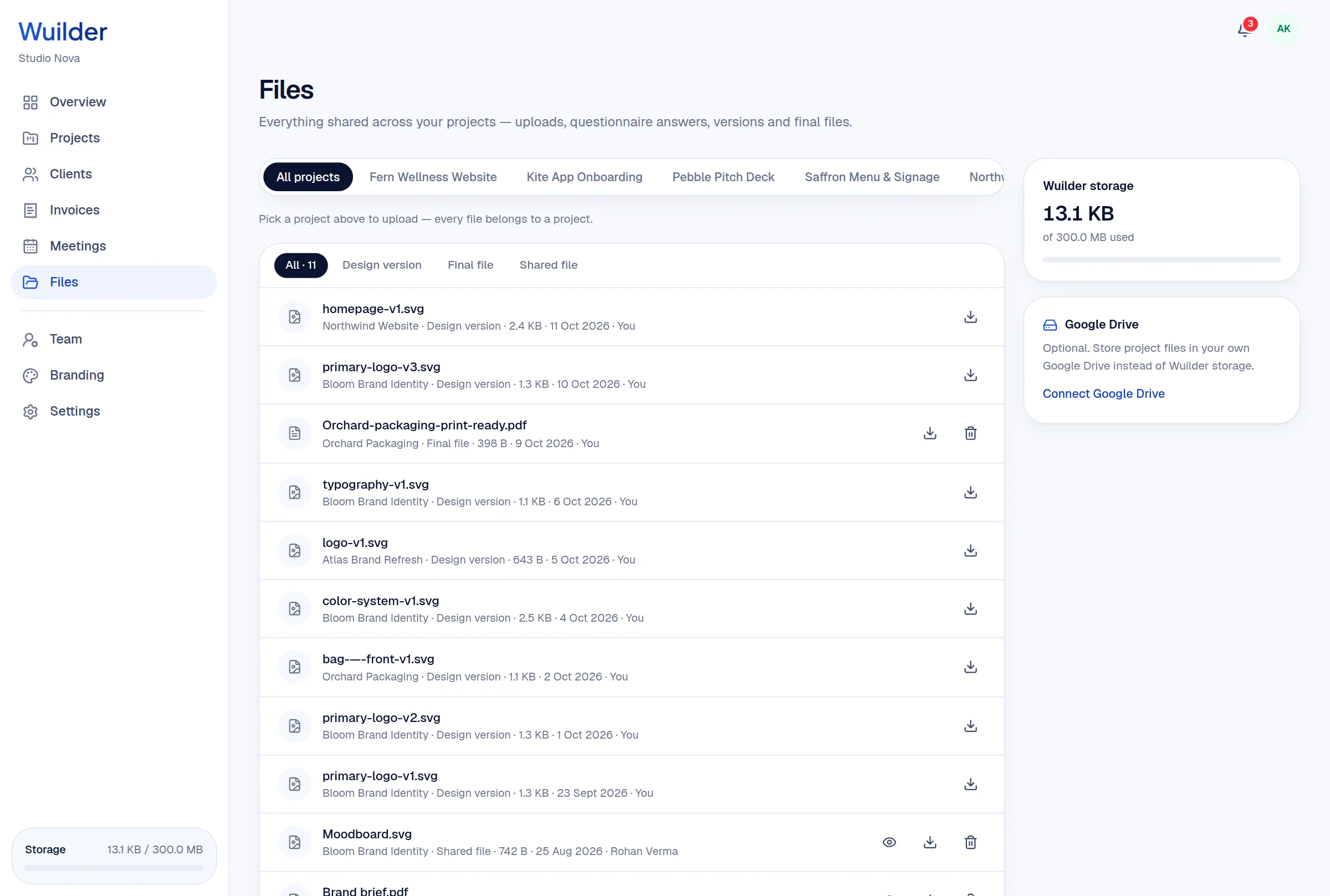
Every upload, version and final file — per project, with client visibility.
Every pain point of running client projects over email, mapped to how Wuilder handles it.
Set up your first project in minutes. Send a branded portal link instead of a Drive folder — and watch how differently the conversation about price goes.