Get paid before
the work moves on.
Split every project into milestones — 50/50, 50/25/25 or your own. Each payment unlocks a stage for your client, and invoices go out automatically at the right moment.
A 20-second walkthrough, recorded in the real product.
The old way, without Wuilder.
- Chasing the second half of the fee after the files are already sent
- Starting work on a promise to pay
- Invoices living in a spreadsheet nobody updates
Three steps. No setup.
Pick a split
Choose 50/50, 50/25/25, 100% upfront or set your own percentages when you create the project.
Invoices go out by themselves
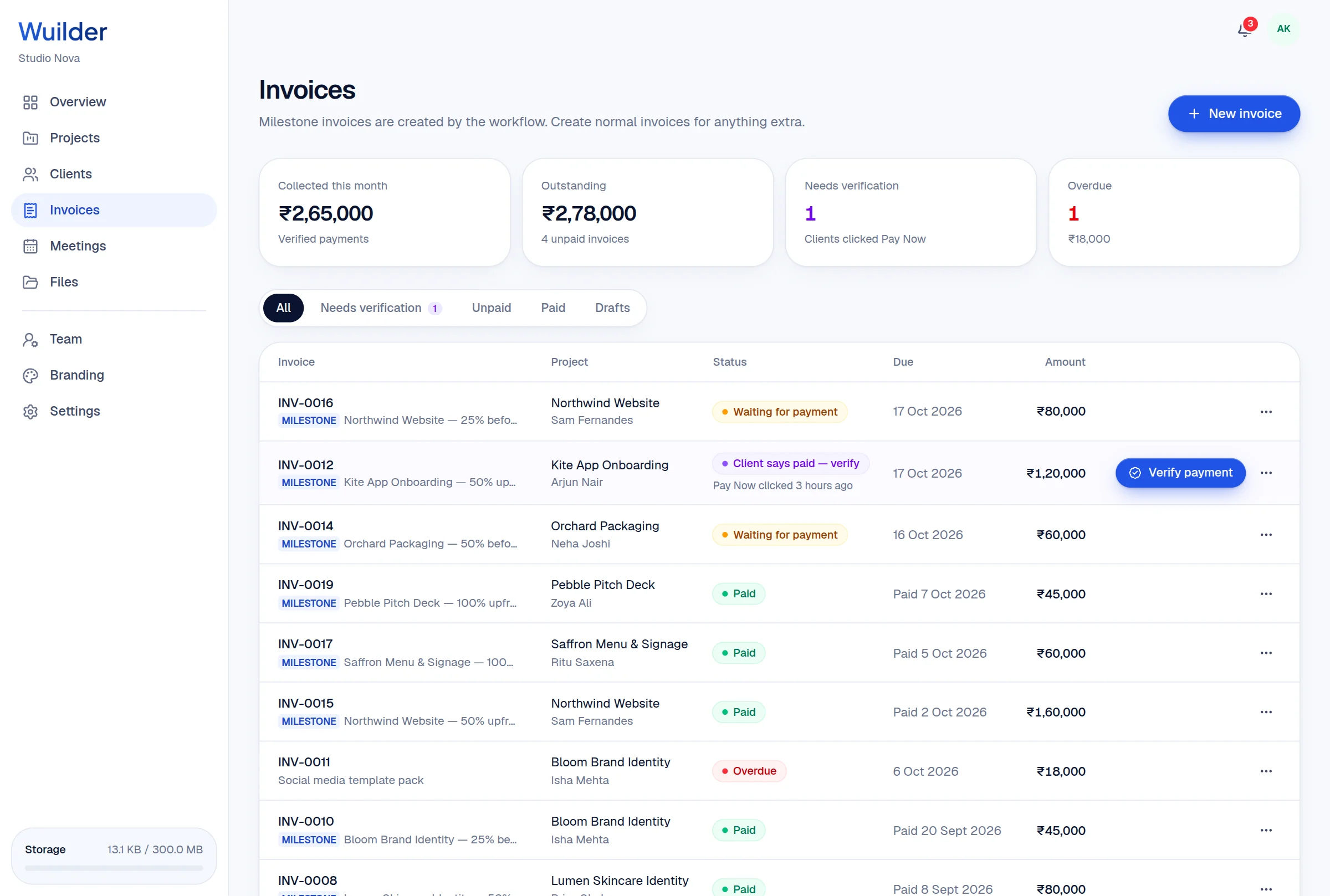
Signing the agreement, starting Core Creation and sending final files each issue the right milestone invoice.
Verify, and the stage unlocks
Your client clicks Pay Now on your own payment link. You confirm the money arrived — the next stage opens instantly.
Your payment links
Razorpay, Stripe, PayPal, UPI — Wuilder never touches the money.
Pay Now ≠ paid
Only your verification marks an invoice paid, so nothing unlocks by accident.
Extra invoices
Add-ons and change requests get normal invoices on the same project.
Questions, answered.
Common questions about milestone billing in Wuilder.
Still curious? Talk to a human — we reply within a day.
Works even better together.
Your next client should feel the difference.
Set up your first project in minutes. Send a branded portal link instead of a Drive folder — and watch how differently the conversation about price goes.