Run the studio
from one screen.
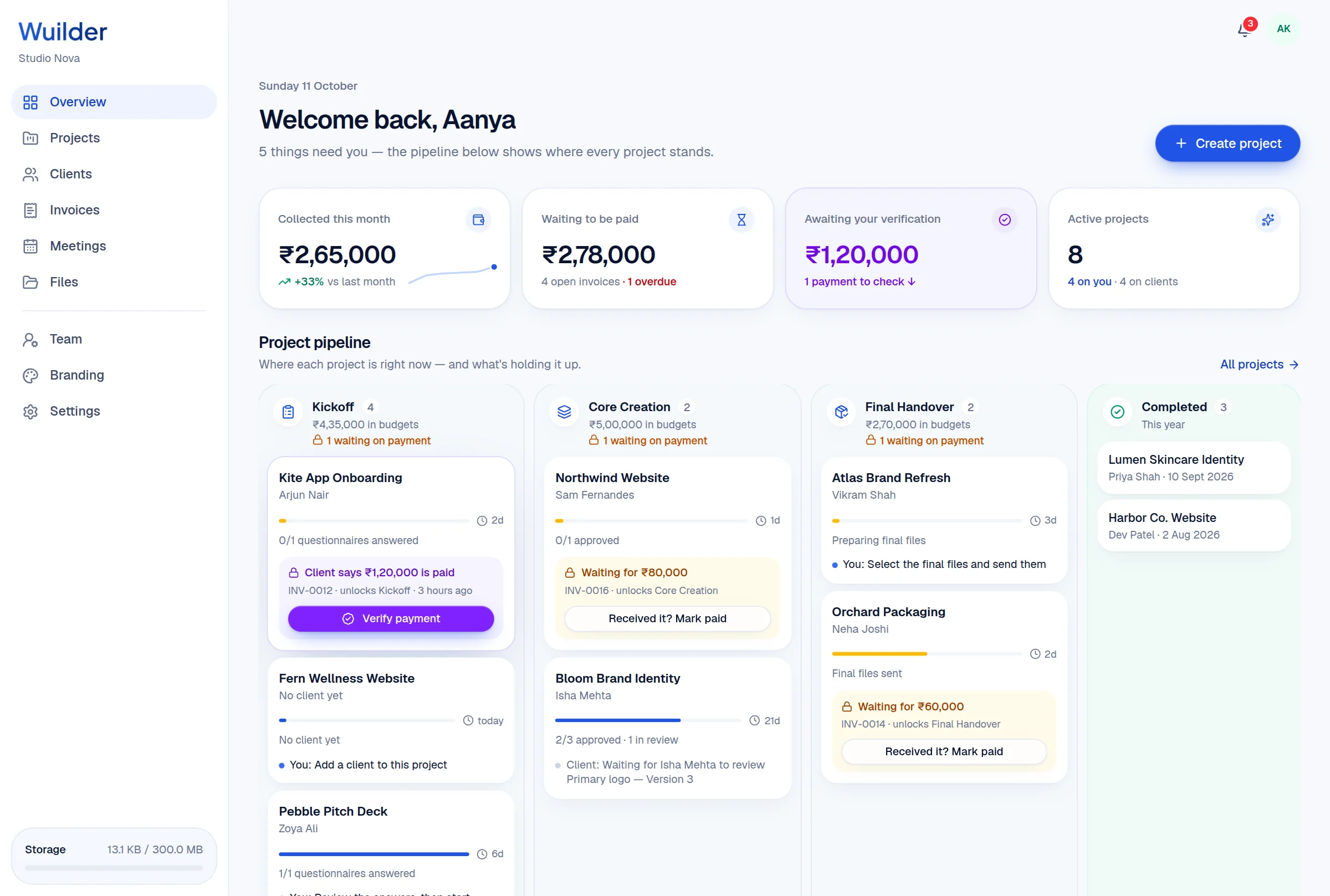
Your overview shows money collected this month, what's waiting to be paid, and a pipeline of every project by stage — with the payment holding each client back and a Verify button right on the card.
A 20-second walkthrough, recorded in the real product.
The old way, without Wuilder.
- Not knowing which project is waiting on you
- Payments sitting unverified for days
- Revenue only visible at tax time
Three steps. No setup.
Numbers that matter
Collected this month vs last, waiting to be paid, payments to verify, active projects.
Pipeline by stage
Kickoff, Core Creation, Final Handover — with days in stage and whose move it is.
Unblock in one click
When a client says they've paid, verify it right on the card.
Needs attention
Your to-do list, most urgent first.
Top clients
Who your revenue actually comes from.
All projects
Search, filter by stage, see what's paid.
Questions, answered.
Common questions about project pipeline in Wuilder.
Still curious? Talk to a human — we reply within a day.
Works even better together.
Your next client should feel the difference.
Set up your first project in minutes. Send a branded portal link instead of a Drive folder — and watch how differently the conversation about price goes.