Start every project
with everything you need.
New clients sign your agreement, pay the upfront milestone and answer your questionnaires — colors, references, files — before you open a design file.
A 20-second walkthrough, recorded in the real product.
The old way, without Wuilder.
- Briefs spread across five emails and a call
- Starting before the deposit lands
- Asking for the logo files for the third time
Three steps. No setup.
Agreement first
Pick a template, set revisions and rights; the client signs with their name before anything else opens.
Build the questionnaire
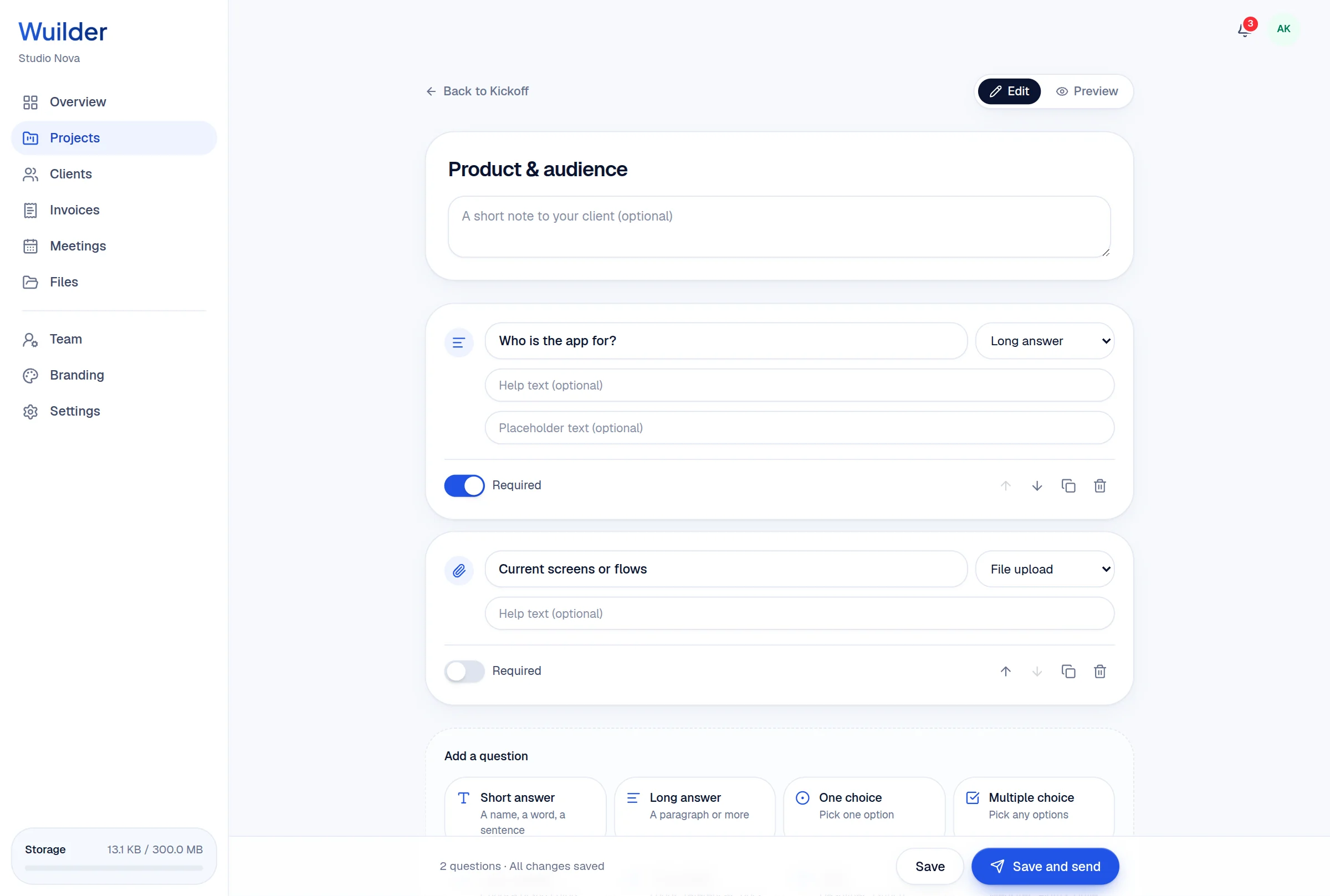
Short and long answers, choices, color palettes, file uploads, dates and links — or start from a template.
Answers land in Kickoff
Answers autosave for the client and arrive in your project the moment they hit Send.
8 field types
Including a color palette picker and file uploads.
Several questionnaires
Brand now, website content later — all on the same project.
Ask for changes
Reopen a questionnaire if something's missing.
Questions, answered.
Common questions about onboarding & questionnaires in Wuilder.
Still curious? Talk to a human — we reply within a day.
Works even better together.
Your next client should feel the difference.
Set up your first project in minutes. Send a branded portal link instead of a Drive folder — and watch how differently the conversation about price goes.